1.Introduction — What is it?
TypeSense is an open-source Search Engine software that supports on-premise installation and also offers a SaaS service.
It is characterized as a lightweight, open-source search engine that supports typo-tolerance, voice-query, image-query, and much more.
It is heavily focused on Retail where this type of product is foundational.
2. Retail Focused
2.1 TypoTolerance
It offers vector search optimized for similarity searches while being very powerful with typographic errors, as it is based on LLM algorithms to determine how to create affine vectors.
While a “%{like}%” query allows us to detect a pattern for searching, that {like} value, however small, must exist as such and belong to a value in the tuple.
In TypeSense (more focused on Document DB), the search will be performed against one or more fields of the entity to search and will also be tolerant of typographic errors without us having to specify anything in the search.
2.2 Analytics Rules
Another advantage is that it includes rules for events occurring in element collections.
In a retail search engine, the concepts of popularity and ordering are very important.
Our search system must be “alive”, meaning it feeds from the events occurring during its operation.
This way, our search engine should show the most popular products in searches, and this information must come from the users themselves. For example, a product that is searched many times by users should appear at the top of listings, and if the product results in a conversion (a sale) it should increase its popularity more than if it was only searched.
TypeSense makes all of this kind of work easier for us.
3. Features
In addition to the features we’ve mentioned, TypeSense offers:
- Faceted Navigation: facet-based search system
- Geo-Search: search based on GIS (Geographic Information System). Supports Radius Search and also specific polygon shape search.
- LLM Augmentation: Technology based on Large Language Models
- Voice query: Voice-based search docs.
- Image Query: Image-based search docs.
- Federated MultiSearch: Allows parallel searches (different collections) with a single request.
- JOIN Queries: Allows filtered searches across 2 (or more) collections. One-to-one, One-to-many, many-to-many, left joins… docs.
- Synonyms: Allows defining synonyms for search terms (e.g., if searching for “nike” it will internally also search for “footwear” if we define it as a synonym)
- Alias: Using aliases for queries allows us to target different versions of the same collection (if there are format changes or if there is a re-indexing of elements) without service interruption.
In-Memory Search: Obviously for optimization and achieving good performance, TypeSense works with all information in memory (so you’ll need a good host) which persists to disk for backup and restart tasks.
It therefore supports node clustering and synchronization that will give us the horizontal scaling we’ll need in production environments.
4. Integration (clients)
It has many client libraries for many programming languages.
It has a lot of work done and has web integration libraries that with few lines of code will set up a fully functional search engine in an extremely simple way.
On the server side it offers clients that act as wrappers for easy integration with the HTTP API of TypeSense servers.
5. SETTING UP A VIDEO CLUB
Let’s build a quick example implementing a search engine for a store, here we go:
5.1 Infrastructure
We will deploy a Docker image to play with the server.
We use this docker-compose.yaml:
version: '3.7'

networks:
  typesense-demo-network:
    name: typesense-demo-network

services:
  typesense:
    image: typesense/typesense:27.1
    ports:
      - "8108:8108"
    volumes:
      - ./typesense-data:/data
    command: '--data-dir /data --api-key=xyz --enable-cors --enable-search-analytics=true --analytics-dir=/analytics-data --analytics-flush-interval=60'
    networks:
      - typesense-demo-network
It is self-explanatory, but it is worth mentioning that the –enable-search-analytics=true parameter needs to be set to true to use the analytics rules mentioned in section 2.2.
5.1.1 UI Infrastructure
By default, TypeSense servers do not come with a web administration panel, but you can use this utility to have a local admin UI:
https://bfritscher.github.io/typesense-dashboard/#/
When entering the web, enter your localhost data — it is enough to provide the apikey: “xyz”
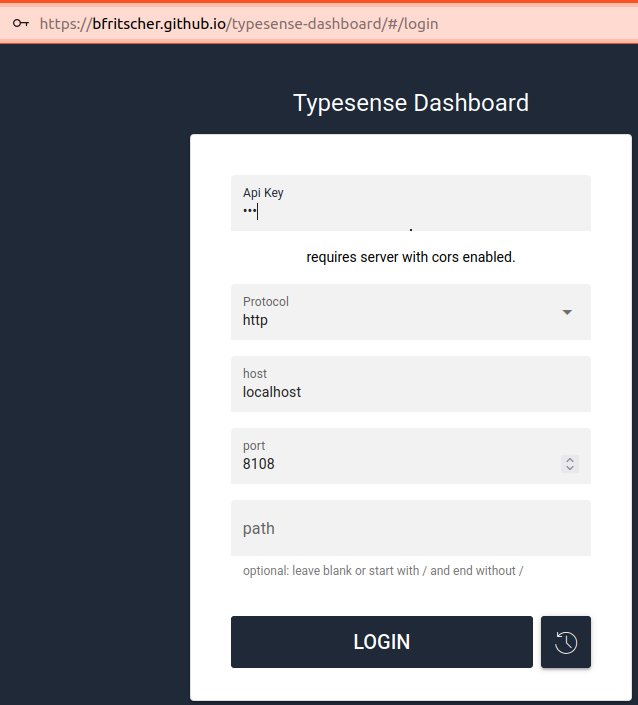
It takes us to the dashboard where we can see all the cores of our microprocessor and the status of each one. As you can see, the administration is complete.
5.2 Administration (Collection Creation)
The first thing is to define a collection with its attributes. In this case we will create a collection where we can add movies to our video club.
We define the element structure in a file:
films_collection_v1.json
{
    "name": "films_v1",
    "fields": [
      {
        "name": "filmId",
        "type": "string",
        "optional": false
      },
      {
        "name": "name_es_ES",
        "type": "string"
      },
      {
        "name": "name_en_GB",
        "type": "string"
      },
      {
        "name": "actors",
        "type": "string[]",
        "facet": true
      },
      {
        "name": "popularity",
        "type": "int32",
        "sort": true,
        "optional": false
      },
      {
        "name": "image",
        "type": "string",
        "facet": false
      },
      {
        "name": "quantity",
        "type": "int64",
        "optional": false
      }

    ],
    "default_sorting_field": "popularity",
    "enable_nested_fields": true
  }
- default_sorting_field: indicates that when a GET is made to the collection, the movies will come ordered by that field (it should obviously be numeric)
- type: indicates the data type
- optional: whether the field can exist or not (in our case popularity, id, and quantity are required at minimum)
- facet: enables faceting
- enable_nested_fields: allows nested objects and searching within them.
And we create the v1 collection via the API:
curl "http://localhost:8108/collections" \
      -X POST \
      -H "X-TYPESENSE-API-KEY: xyz" \
      --data-binary @./products_collection_v1.json
Java sdk client
We could also have created the collection using the Java SDK docs
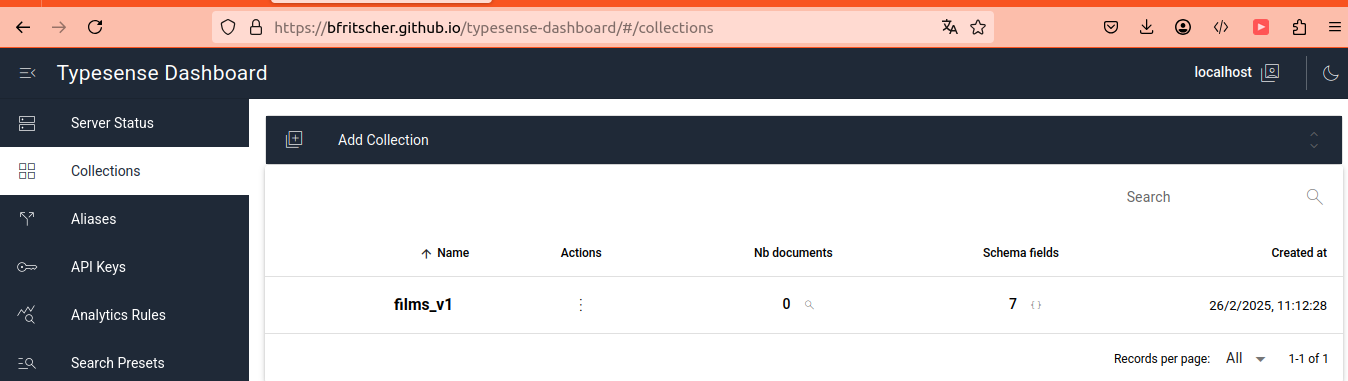
We can check the collection through the web UI in the “Collections” section:
5.2.1 Adding movies
We will add some movies and their quantities. The API accepts a jsonlist (jsonl), which is a file where each line is a complete JSON object (between lines there is only a carriage return).
films.jsonl:
{"id":"0", "filmId": "001-0","name_es_ES": "Sueños de fuga", "name_en_GB": "The Shawshank Redemption", "actors": ["Tim Robbins", "Morgan Freeman", "Bob Gunton"], "popularity": 8,"image": "https://picsum.photos/200", "quantity":23  }
{"id":"1","filmId": "001-1","name_es_ES": "Origen", "name_en_GB": "Inception", "actors": ["Leonardo DiCaprio", "Joseph Gordon-Levitt", "Ellen Page"], "popularity": 1,"image": "https://picsum.photos/200", "quantity":100 }
{"id":"2","filmId": "022-2","name_es_ES": "El caballero oscuro", "name_en_GB": "The Dark Knight","actors": ["Christian Bale", "Heath Ledger", "Aaron Eckhart"],  "popularity": 2,"image": "https://picsum.photos/200", "quantity":33 }
{"id":"3","filmId": "023-3","name_es_ES": "Pulp Fiction","name_en_GB": "Pulp Fiction", "actors": ["John Travolta", "Uma Thurman", "Samuel L. Jackson"], "popularity": 8,"image": "https://picsum.photos/200", "quantity":47 }
{"id":"4","filmId": "023-4","name_es_ES": "Forrest Gump","name_en_GB": "Forrest Gump","actors": ["Tom Hanks", "Robin Wright", "Gary Sinise"], "popularity": 5,"image": "https://picsum.photos/200", "quantity":125 }
{"id":"5","filmId": "d32-5","name_es_ES": "El padrino","name_en_GB": "The Godfather","actors": ["Marlon Brando", "Al Pacino", "James Caan"], "popularity": 5,"image": "https://picsum.photos/200", "quantity":1727 }
{"id":"6","filmId": "011-6","name_es_ES": "Matrix","name_en_GB": "Matrix","actors": ["Keanu Reeves", "Laurence Fishburne", "Carrie-Anne Moss"], "popularity": 1,"image": "https://picsum.photos/200", "quantity":345 }
{"id":"7","filmId": "011-7","name_es_ES": "Gladiator","name_en_GB": "Gladiator","actors": ["Russell Crowe", "Joaquin Phoenix", "Connie Nielsen"], "popularity": 1,"image": "https://picsum.photos/200", "quantity":876 }
{"id":"8","filmId": "077-8","name_es_ES": "El rey león","name_en_GB": "The Lion King","actors": ["Matthew Broderick", "James Earl Jones", "Jeremy Irons"], "popularity": 2,"image": "https://picsum.photos/200", "quantity":734 }
{"id":"9","filmId": "077-9","name_es_ES": "Titanic","name_en_GB": "Titanic","actors": ["Leonardo DiCaprio", "Kate Winslet", "Billy Zane"], "popularity": 5,"image": "https://picsum.photos/200", "quantity":976 }
{"id":"10","filmId":"df0-10","name_es_ES": "Los vengadores","name_en_GB": "The Avengers","actors": ["Robert Downey Jr", "Chris Hemsworth", "Scarlett Johansson"], "popularity": 0,"image": "https://picsum.photos/200", "quantity":35 }
{"id":"11","filmId":"a01-11","name_es_ES": "Parque Jurásico","name_en_GB": "Jurassic Park","actors": [ "Sam Neill", "Laura Dern", "Jeff Goldblum"], "popularity": 5,"image": "https://picsum.photos/200", "quantity":11 }
{"id":"12","filmId":"001-12","name_es_ES": "El lobo de Wall Street","name_en_GB": "The Wolf of Wall Street","actors": ["Leonardo DiCaprio", "Jonah Hill", "Margot Robbie"], "popularity": 3,"image": "https://picsum.photos/200", "quantity":437 }
{"id":"13","filmId":"023-13","name_es_ES": "El padrino: Parte II","name_en_GB": "The Godfather: Part II","actors": [ "Al Pacino", "Robert De Niro", "Diane Keaton"], "popularity": 7,"image": "https://picsum.photos/200", "quantity":221 }
{"id":"14","filmId":"002-14","name_es_ES": "El silencio de los corderos","name_en_GB": "The Silence of the Lambs","actors": [ "Jodie Foster", "Anthony Hopkins", "Lawrence A. Bonney"], "popularity": 6,"image": "https://picsum.photos/200", "quantity":732 }
{"id":"15","filmId":"000-15","name_es_ES": "La vida es bella","name_en_GB": "La vita e bella","actors": [ "Roberto Benigni", "Horst Buchholz", "Marisa Paredes"], "popularity": 12,"image": "https://picsum.photos/200", "quantity":15 }
....
....
And we publish through the API:
curl "http://localhost:8108/collections/films_v1/documents/import?action=create" \
      -X POST \
      -H "X-TYPESENSE-API-KEY: xyz" \
      --data-binary @./films.jsonl
5.2.2 Retrieving movies via API
Let’s request a full listing without any filter:
curl "http://localhost:8108/collections/films_v1/documents/search?q=*" \
      -X GET \
      -H "X-TYPESENSE-API-KEY: xyz" | jq .

{
  "facet_counts": [],
  "found": 16,
  "hits": [
    {
      "document": {
        "actors": [
          "Roberto Benigni",
          "Horst Buchholz",
          "Marisa Paredes"
        ],
        "filmId": "000-15",
        "id": "15",
        "image": "https://picsum.photos/200",
        "name_en_GB": "La vita e bella",
        "name_es_ES": "La vida es bella",
        "popularity": 12,
        "quantity": 15
      },
      "highlight": {},
      "highlights": []
    },
    {
      "document": {
        "actors": [
          "John Travolta",
          "Uma Thurman",
          "Samuel L. Jackson"
        ],
        "filmId": "023-3",
        "id": "3",
        "image": "https://picsum.photos/200",
        "name_en_GB": "Pulp Fiction",
        "name_es_ES": "Pulp Fiction",
        "popularity": 8,
        "quantity": 47
      },

.....
We can see it returns elements in the hits array ordered by “default_sorting_field”: “popularity”
5.2.3 Fast UI Creation
In several CDNs we can find TypeSense libraries that abstract us from development and we can have a functional search engine in just a few minutes.
<script src="https://cdn.jsdelivr.net/npm/instantsearch.js@4.44.0"></script>
<script src="https://cdn.jsdelivr.net/npm/typesense-instantsearch-adapter@2/dist/typesense-instantsearch-adapter.min.js"></script>
We will use the example from their official GitHub https://github.com/typesense/typesense-instantsearch-demo-no-npm-yarn and adapt it to our collection model:
We change the connector and widget part:
<script>
    const typesenseInstantsearchAdapter = new TypesenseInstantSearchAdapter({
        server: {
            apiKey: 'xyz', // Be sure to use an API key that only allows searches, in production
            nodes: [
                {
                    host: 'localhost',
                    port: '8108',
                    protocol: 'http',
                },
            ],
        },
        // The following parameters are directly passed to Typesense's search API endpoint.
        //  So you can pass any parameters supported by the search endpoint below.
        //  queryBy is required.
        //  filterBy is managed and overridden by InstantSearch.js. To set it, you want to use one of the filter widgets like refinementList or use the `configure` widget.
        additionalSearchParameters: {
            queryBy: 'name_es_ES,name_en_GB,actors',
        },
    });
    const searchClient = typesenseInstantsearchAdapter.searchClient;

    const search = instantsearch({
        searchClient,
        indexName: 'films_v1',
    });

    search.addWidgets([
        instantsearch.widgets.searchBox({
            container: '#searchbox',
        }),
        instantsearch.widgets.configure({
            hitsPerPage: 8,
        }),
        instantsearch.widgets.hits({
            container: '#hits',
            templates: {
                item(item) {
                    return `
                        <div>
                          <img src="${item.image}" alt="${item.name_es_ES}" height="100" />
                          <div class="hit-name">
                            ${item._highlightResult.name_es_ES.value} (${item._highlightResult.name_en_GB.value})
                          </div>
                          <div class="hit-authors">
                          ${item._highlightResult.actors.map((a) => a.value).join(', ')}
                          </div>
                          <div class="hit-publication-year">Quantity ${item.quantity}</div>
                          <div class="hit-rating">${item.popularity} rating</div>
                        </div>
                      `;
                },
            },
        }),
        instantsearch.widgets.pagination({
            container: '#pagination',
        }),
    ]);

    search.start();
</script>
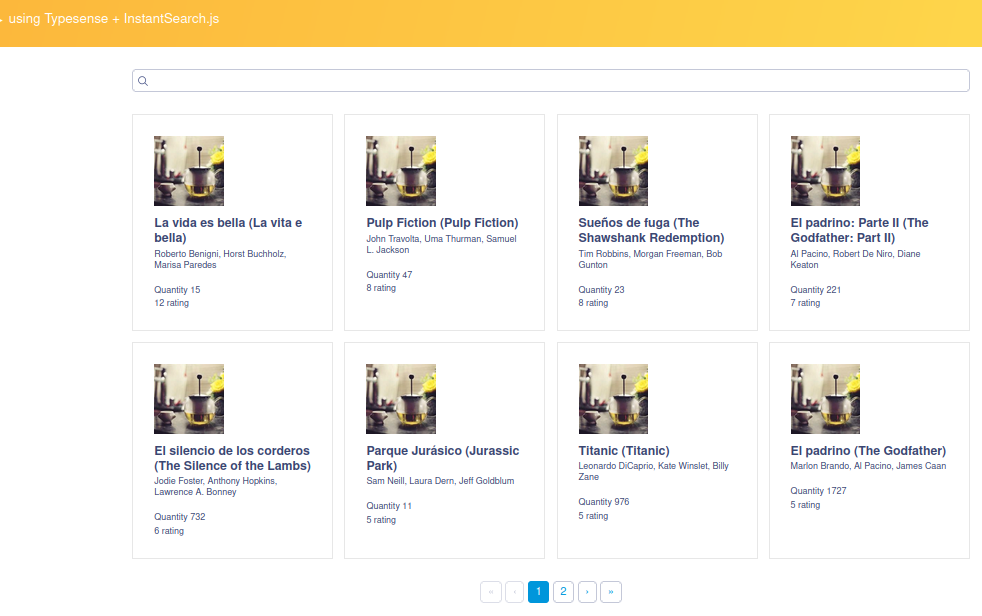
We visit the page and voilà!! Elements paginated and ordered by popularity.
5.2.4 Search Text Box
If we look at the widget instantiation, in the additionalSearchParameters field we indicate which fields we want to match against the user input value. In this case whatever we enter will be compared against name_es_ES, name_en_GB, and actors.
5.2.5 Typotolerant
We also see how it behaves if we only search for “obert”:
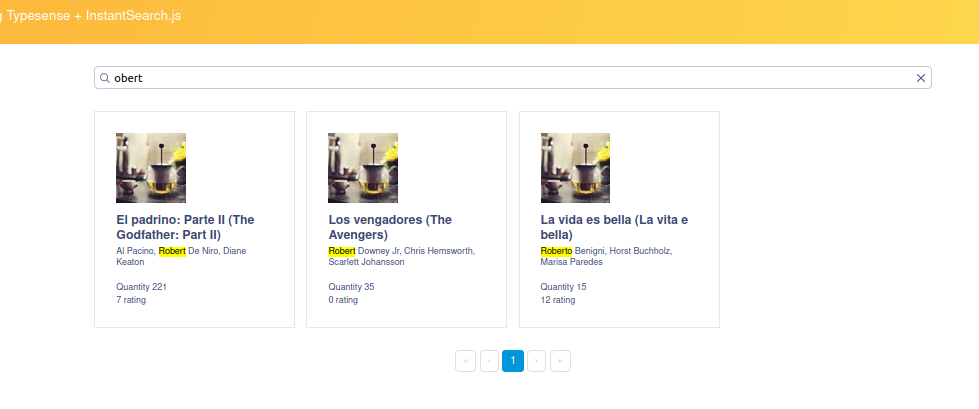
On the other hand, let’s search for just “obe” and we see that no results are returned:
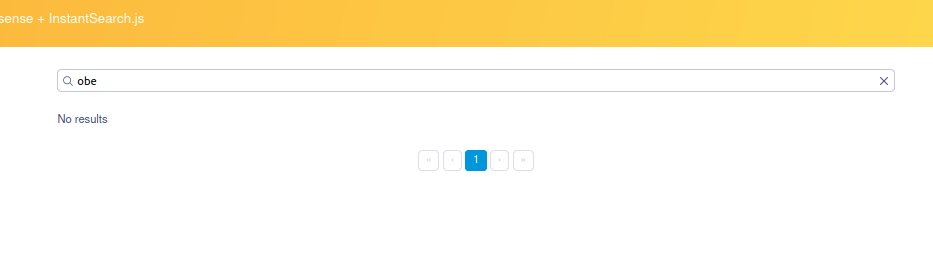
Isn’t that strange?… well it’s because to avoid unnecessary searches, you must specify the minimum number of characters in the search value for the typo-tolerant correction to be applied.
This value is min_len_1typo, whose default value is 4, meaning if the search term does not have 4 characters the “typo tolerant” search is not applied. This makes sense because imagine if we search for just the term “a” we wouldn’t want to get infinite results.
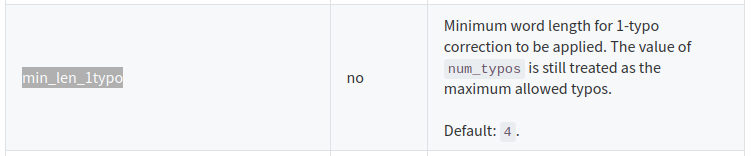
To scratch that itch, let’s make the request indicating it should also be tolerant with 3 characters and we can see it now finds them:
curl "http://localhost:8108/collections/films_v1/documents/search?q=obe&query_by=name_es_ES,name_en_GB,actors&min_len_1typo=3" \
      -X GET \
      -H "X-TYPESENSE-API-KEY: xyz" | jq .

{
  "facet_counts": [],
  "found": 3,
  "hits": [
    {
      "document": {
        "actors": [
          "Roberto Benigni",
          "Horst Buchholz",
          "Marisa Paredes"
        ],
        "filmId": "000-15",
        "id": "15",
        "image": "https://picsum.photos/200",
        "name_en_GB": "La vita e bella",
        "name_es_ES": "La vida es bella",
        "popularity": 12,
        "quantity": 15
      },
      "highlight": {
        "actors": [
          {
            "matched_tokens": [

....
....
....
      "document": {
        "actors": [
          "Al Pacino",
          "Robert De Niro",
          "Diane Keaton"
        ],
        "filmId": "023-13",
        "id": "13",
        "image": "https://picsum.photos/200",
        "name_en_GB": "The Godfather: Part II",
        "name_es_ES": "El padrino: Parte II",
        "popularity": 7,
        "quantity": 221
      },
      "highlight": {
        "actors": [
....
...
....
    {
      "document": {
        "actors": [
          "Robert Downey Jr",
          "Chris Hemsworth",
          "Scarlett Johansson"
        ],
        "filmId": "df0-10",
        "id": "10",
        "image": "https://picsum.photos/200",
        "name_en_GB": "The Avengers",
        "name_es_ES": "Los vengadores",
        "popularity": 0,
        "quantity": 35
      },
      "highlight": {
        "actors": [
          {

  ...
  ...
All the configuration parameters for typo tolerance are documented here:
https://typesense.org/docs/28.0/api/search.html#typo-tolerance-parameters
5.3 Analytics Rules
As discussed at the beginning of this post, we can create rules based on events occurring in our search system.
We will create a rule so that when a given movie is viewed, its popularity increases by 1 point, and if a unit of the movie is purchased, popularity increases by 2.
We define the rule films_v1_click_rule.json:
{
    "name": "films_click_events",
    "type": "counter",
    "params": {
        "source": {
            "collections": ["films_v1"],
            "events":  [
                {"type": "click", "weight": 1, "name": "films_click_events"},
                {"type": "conversion","weight": 2,"name": "films_purchase_event"}

            ]
        },
        "destination": {
            "collection": "films_v1",
            "counter_field": "popularity"
        }
    }
}
TypeSense supports these 3 event types (click, conversion, visit) docs:
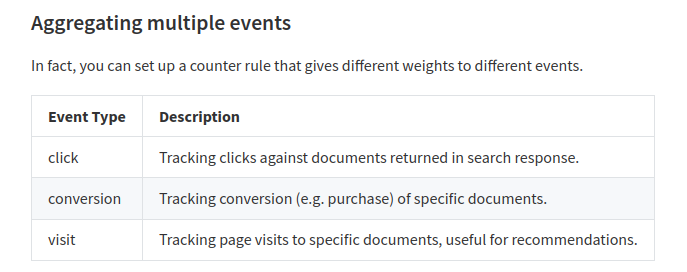
We use the API operation to create the rules associated with the films_v1 collection:
curl "http://localhost:8108/analytics/rules" \
      -X POST \
      -H "X-TYPESENSE-API-KEY: xyz" \
      -H "Content-Type: application/json" \
      --data-binary @./films_v1_click_rule.json
5.3.1 Triggering the rule
If we recall, the movie “La vida es bella” (id:15) has a popularity of 12.
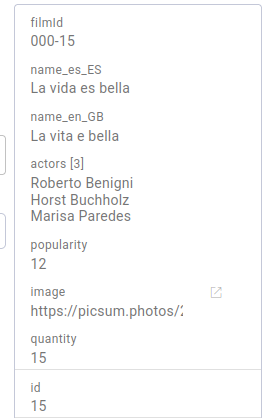
Let’s fire an event indicating that someone has viewed that movie:
curl "http://localhost:8108/analytics/events" -X POST \
     -H "X-TYPESENSE-API-KEY: xyz" \
     -d '{
            "type": "click",
            "name": "films_click_events",
            "data": {
                  "doc_id": "15",
                  "user_id": "Antonio Volkaniski Garcia"
            }
        }'

{"ok": true}
–analytics-flush-interval=60
When we query again it is very likely that the popularity value has not been incremented yet, and this is because when a record value changes (it should now go to 13) a “mini re-indexing” must be performed which is a costly process for the collection. The analytics-flush-interval=60 field indicates that events will be saved, but every 60 seconds the events collected in that interval will be materialized, so this process only runs once for all modified elements.
After 60 seconds (analytics-flush-interval) we can see that the rule has been materialized and the movie has gained one point in popularity, rising to 13.
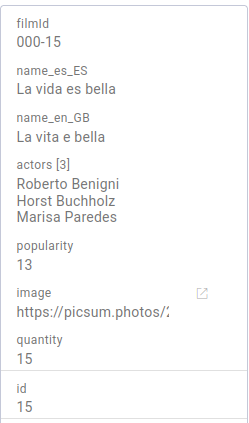
The conversion event should logically not be triggered by the front end, but rather by a server-side business process, as it is associated with a purchase process. To trigger this rule from Java, you have the documentation here and an approximation would look something like this:
AnalyticsEventCreateSchema analyticsEvent = new AnalyticsEventCreateSchema()
        .type("conversion")
        .name("films_purchase_event")
        .data(Map.of(
                "doc_id", "15",
                "user_id", "Paco el de los palotes",
                "amount", 1"
        ));

client.analytics().events().create(analyticsEvent);
5.4 Creating an alias
It is very convenient to access collection queries through an alias.
Imagine a re-indexing process triggered because we want to modify our movie model (films_v1) by adding or removing fields. - All documents need to be re-indexed to prepare searches. - This process is costly and the collection will be locked and inaccessible until the process completes. - This is not viable in production.
An alias gives us the flexibility that the alias points to a collection. In this case we create it pointing to films_v1.
curl "http://localhost:8108/aliases/films/" -X PUT \
    -H "Content-Type: application/json" \
    -H "X-TYPESENSE-API-KEY: xyz" -d '{
        "collection_name": "films_v1"
    }'
Now all queries will be made by clients pointing to the “films” alias which will internally query the films_v1 collection:
curl "http://localhost:8108/collections/films/documents/search?q=*" \
      -X GET \
      -H "X-TYPESENSE-API-KEY: xyz"
- We can create a films_v2 collection with the new fields and start a data migration process from films_v1 to films_v2.
- Since our alias points to films_v1 there is no service downtime.
- When the migration is complete, simply update the alias to point to films_v2 and voilà!!
curl "http://localhost:8108/aliases/films/" -X PUT \
    -H "Content-Type: application/json" \
    -H "X-TYPESENSE-API-KEY: xyz" -d '{
        "collection_name": "films_v2"
    }'
6. Conclusions
We have seen that TypeSense is lightweight, highly optimized (voice_query, image_query), typo-tolerant, deeply focused on Retail and above all (which is what matters most to us as programmers) it is very easy to use.
And as a teaser… it is already integrated into the new Spring Boot AI-based starters even in its 1.0.0 beta version https://docs.spring.io/spring-ai/reference/api/vectordbs/typesense.html.